
Free
To try it out with your first clients.
€0forever
- 3 client folders
- 1 GB of storage, files up to 25 MB
- Security scan of every file
- Private link, comments and document preview
- 30-day activity log
- “Powered by DocBunker” mention
Your secure client portal
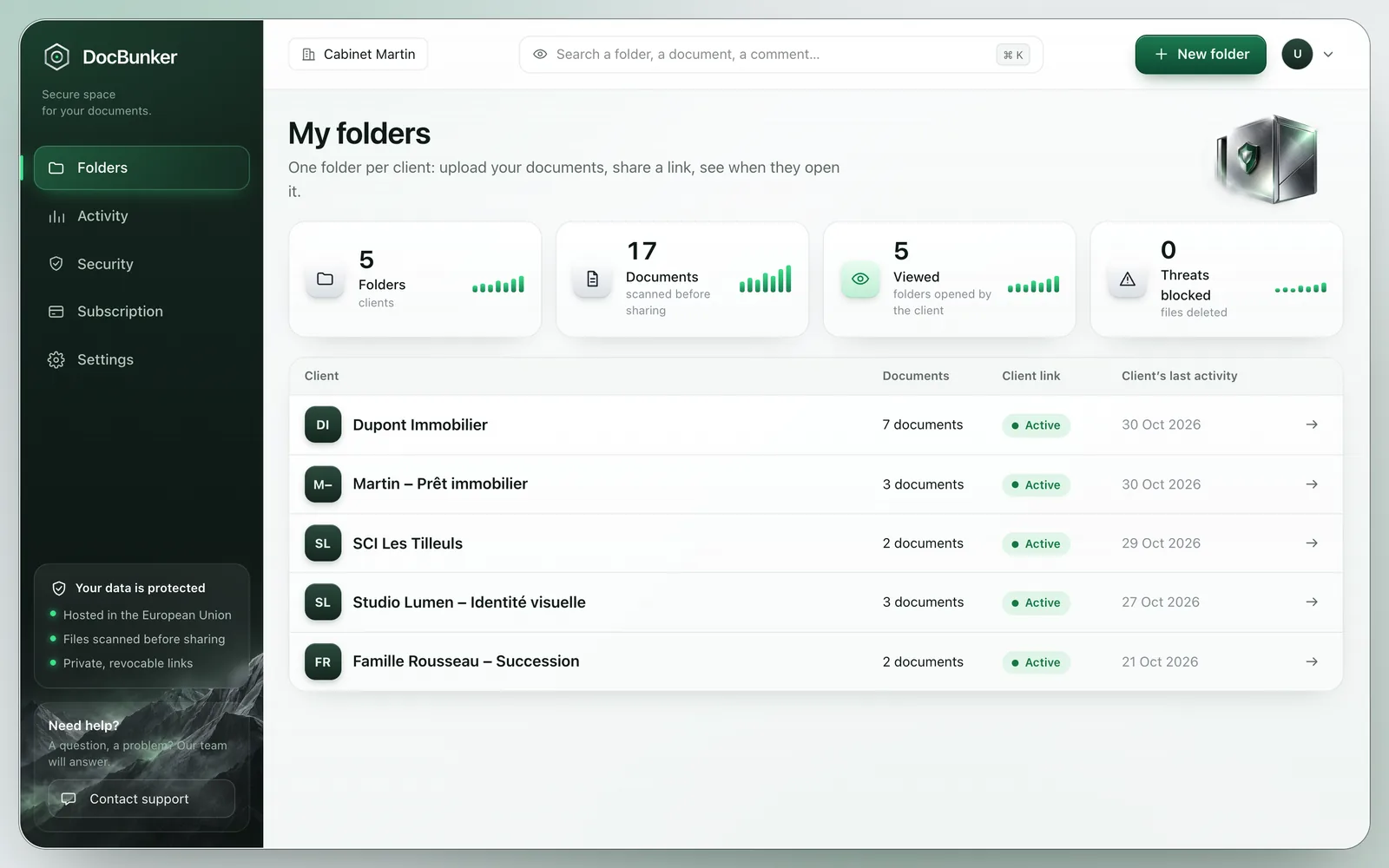
Share and track your confidential documents securely, from a simple and professional client folder.
Features
A simple way to share your documents with confidence with your clients.
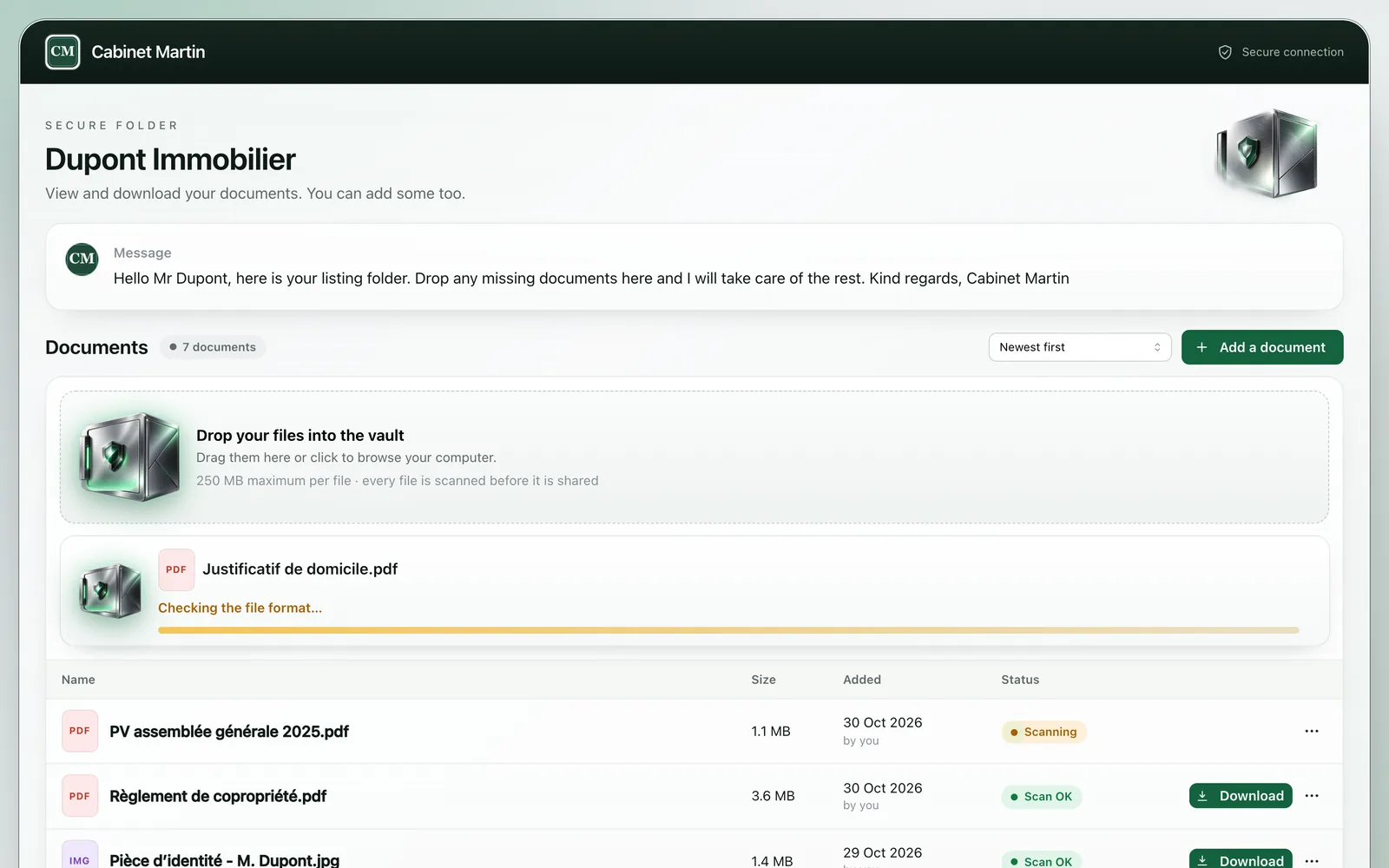
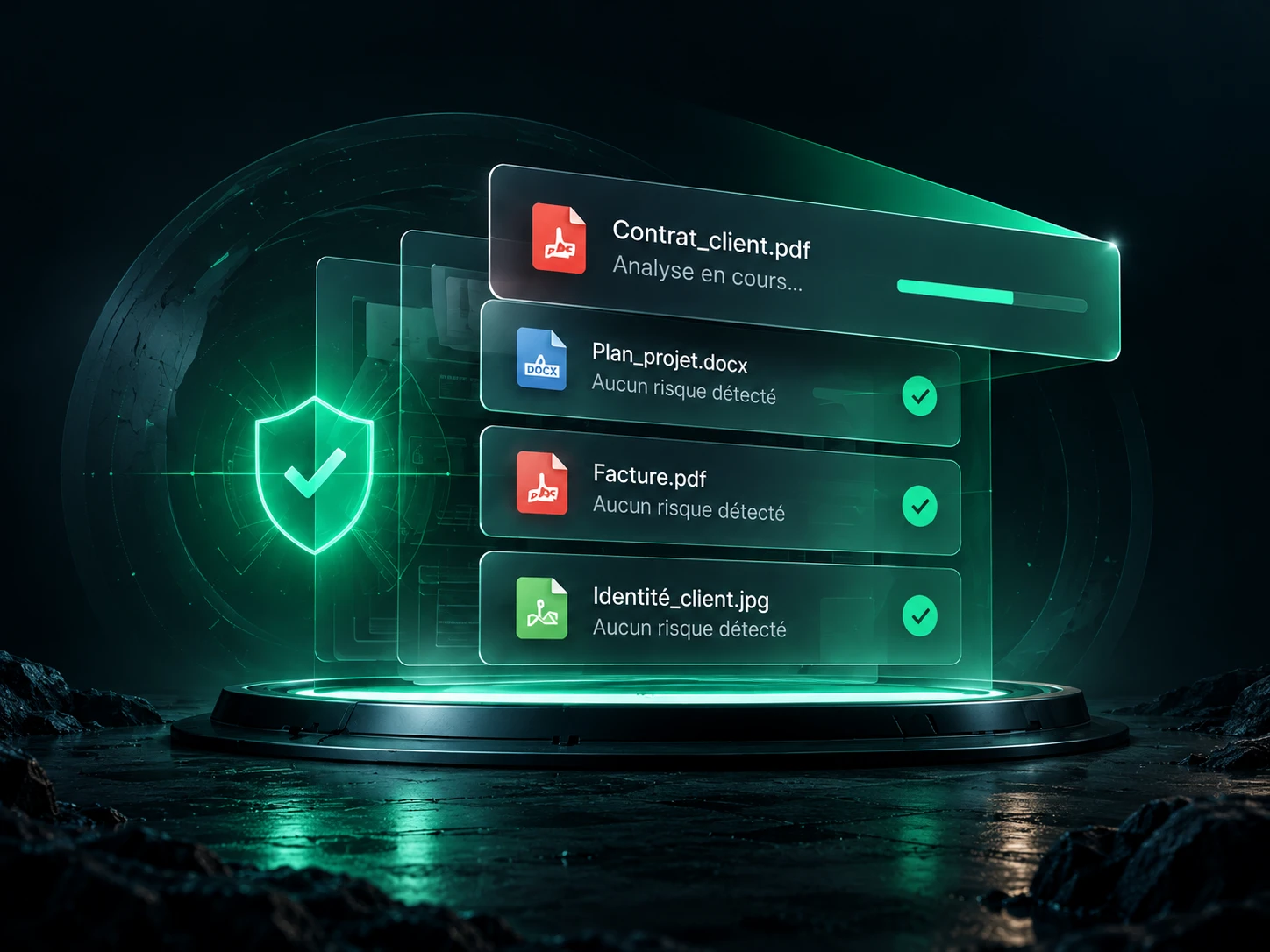
Every file is automatically scanned to detect threats before it is shared with your clients.
Learn moreShare your documents through unique, private links. Your clients open them without creating an account.
Learn moreReceive comments and documents from your clients directly in each shared folder.
Learn moreSee who viewed and downloaded your documents, with e-mail notifications.
Learn more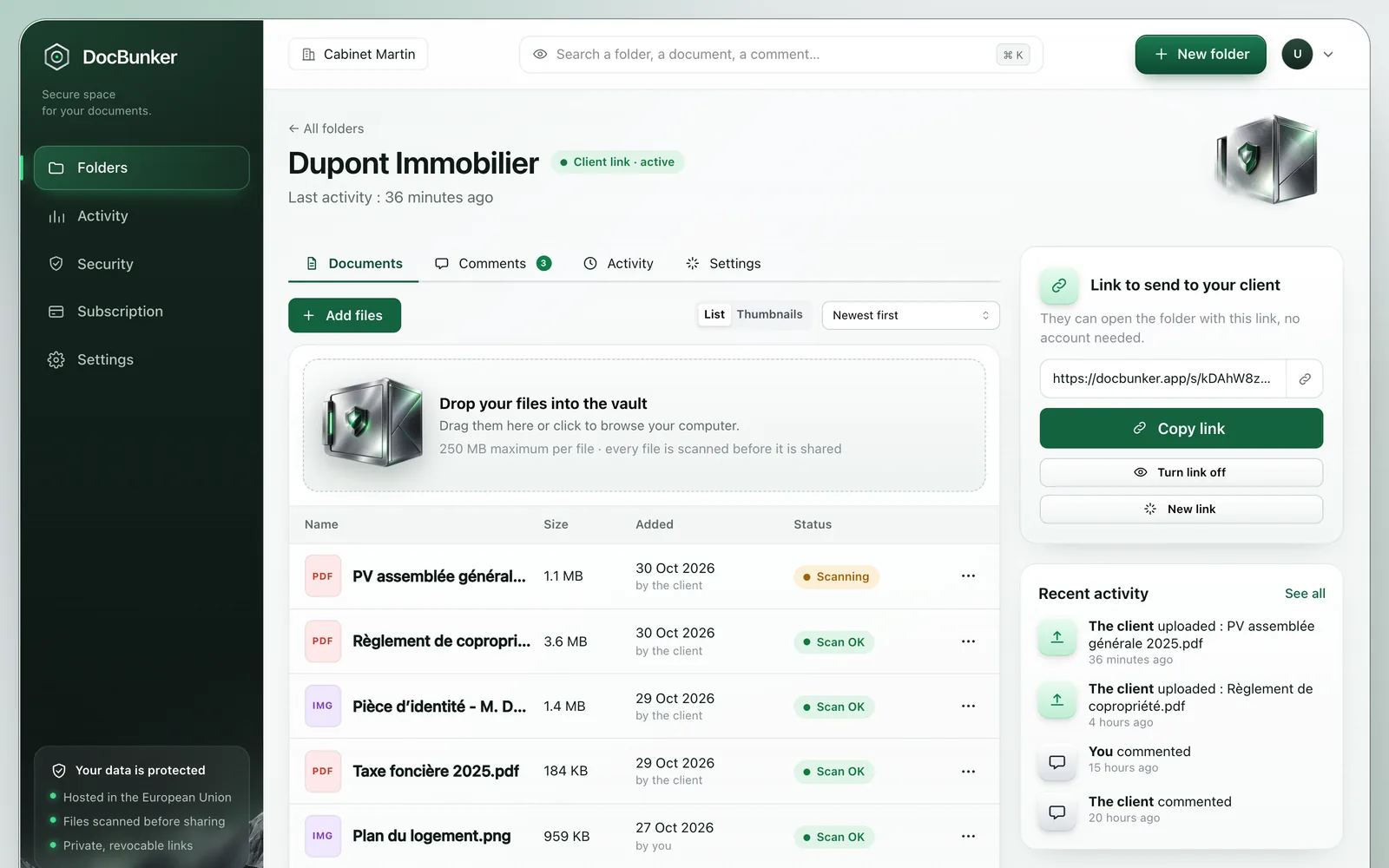
A smooth experience
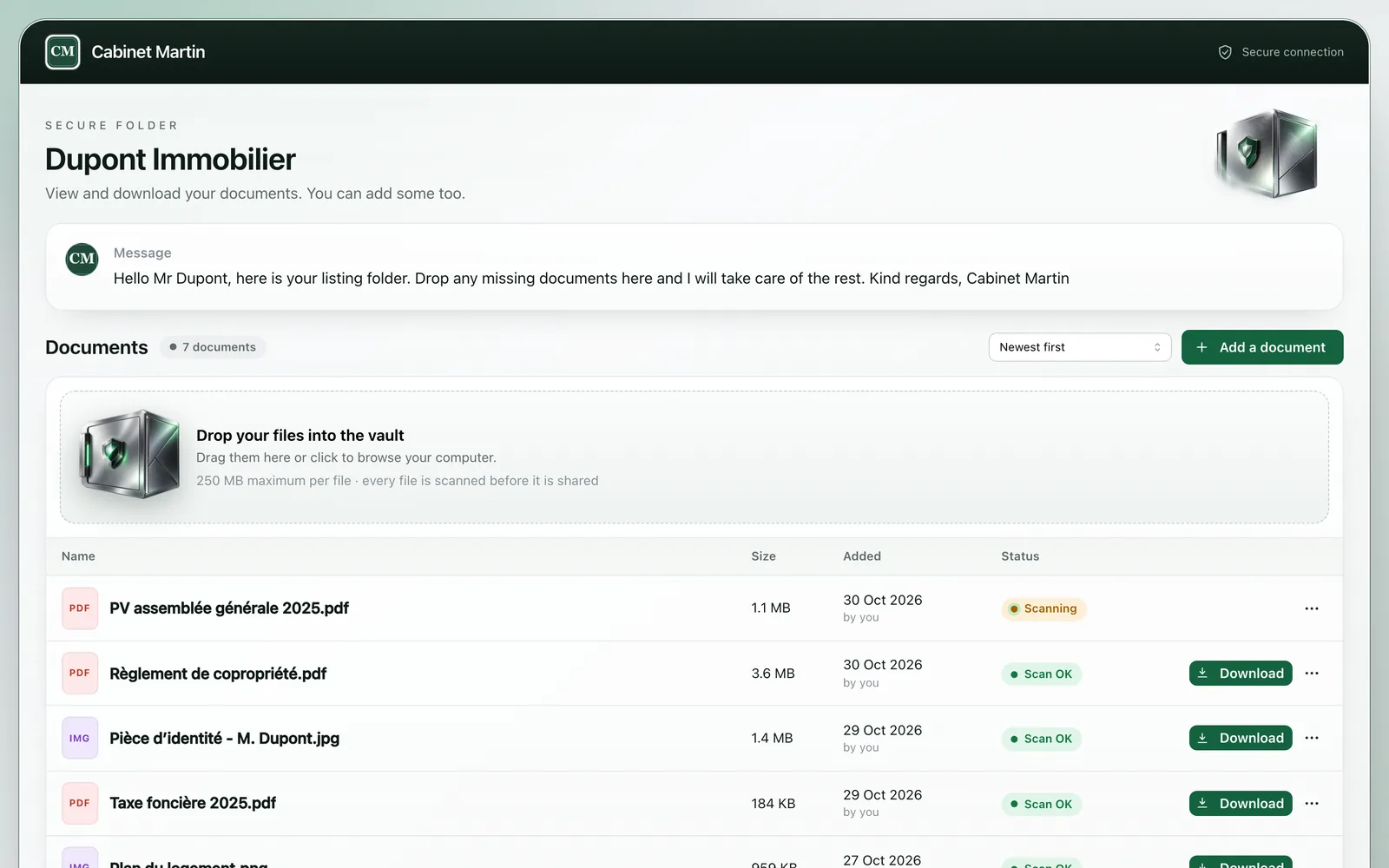
Give your clients a secure portal to view, download and comment on their documents in a few clicks.
Security first
All documents are scanned automatically before they are shared. A file judged dangerous is never made available.
Want to check a file first? Try the free scanner, right in your browser.
Infrastructure and compliance
A professional infrastructure, built for the confidentiality and availability of your exchanges.
The database and file storage are configured in the European Union jurisdiction. The host is a US company: see the privacy policy.
Certifications of the host (information security, personal data protection), not of DocBunker itself.
The host’s security, confidentiality and availability controls, audited by an independent third party.
No audience measurement tool. Data processing agreement (GDPR article 28) on request.
How it works
Add your files to your client’s folder. They are automatically scanned before they become available.
Generate a private link and send it to your client. They need no account.
Receive comments and your client’s documents, and follow the activity of each folder.
For teams that delegateBusiness plan
DocBunker offers an MCP server: Claude, Cursor and other compatible assistants browse your folders, see what your clients uploaded, create a folder and fetch the link to send them. You stay in control of every permission.
Two folders are waiting for documents:
Shall I draft a reminder with the list of documents?
FAQ
The essentials on how DocBunker works, how it protects files and what its limits are.
Read our document sharing guidesA client portal brings files and conversations together in one folder. With DocBunker, a private link lets your client view and upload documents and leave comments.
No. Recipients use the link you send them. The folder owner signs in to manage documents and links.
Each folder can hold up to 50 files, with a maximum size per file of 25 MB (free plan), 250 MB (Pro) or 2 GB (Business). Files are scanned before they can be downloaded.
Yes. Links expire and can be revoked from the folder settings. Anyone holding an active link can access the folder, so share it only with intended recipients.
DocBunker looks for known threat signatures. Downloads remain blocked until the scan passes. No scanner can guarantee a file is safe; treat unexpected documents with care.
The activity log records actions such as views and downloads. A sharing link alone does not establish the identity of the person using it.
Pricing
Start for free. Move to a paid plan when your clients multiply.
To try it out with your first clients.
€0forever
For freelancers and small teams following several clients.
€17.42/month
billed €209 per year
For firms and agencies that want an image that is 100% theirs.
€44.92/month
billed €539 per year
VAT not applicable (French small-business exemption, art. 293 B CGI). Cancel at any time.
Contact
Tell us what you need: we reply quickly by e-mail.

Your documents deserve better
For freelancers and agencies who want to secure their document exchanges with their clients.